


Introduction
For years, page speed has been measured by how quickly content appears on screen. But what about the moment a user actually tries to interact? It can be clicking a button, tapping a menu, or typing into a form. That is where the interaction of the next paint metric changes everything. Now, Core Web Vitals and INP measure a page’s responsiveness by observing the delay.
Such a delay happens between a user’s action and the visual feedback of that action. A poor INP means a frustrating experience. It impacts user retention and SEO. In this blog, we will explain why Interaction to Next Paint is non-negotiable. It also provides a brief on the first input delay and steps to optimise before your competitors.
Table of Contents
The Concept: From Loading to Responsiveness
For years, performance work revolved around loading speed. It helps optimise images, reduce script load, and improve server response time.
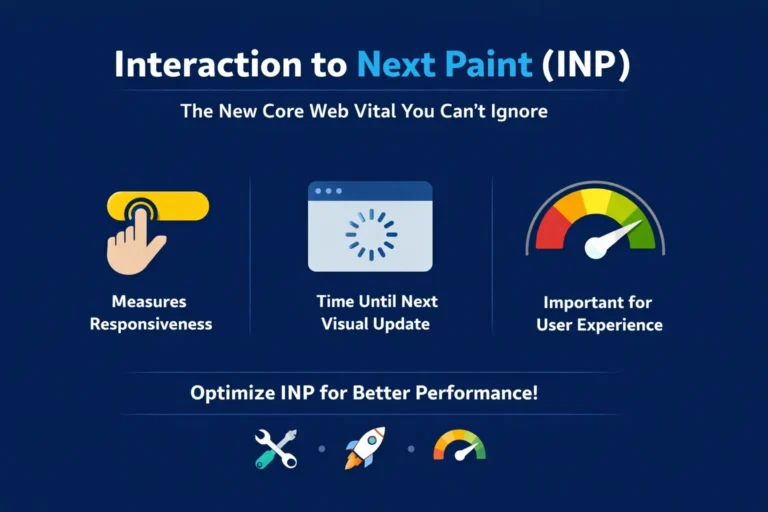
But users do not care when the page finishes loading. They care when it reacts. The INP metric focuses on responsiveness. It measures how the page updates after a user interacts with it. That includes clicks, taps, and keyboard inputs. This mindset shift is critical. A fast-loading page can still feel slow if it does not respond.
The Difference: INP vs FID
Earlier, we relied on First Input Delay. It only tracked the delay before the first interaction. That was a narrow view. Does the question, What is INP metric? “ matter here? INP considers all interactions, not the first one.
It captures the slowest interaction during a user’s visit. This makes it far more realistic. It reflects the actual experience, not the initial moment.
Key Insight: What a Good Score Means
A strong benchmark is simple:
- Good INP: under 200ms
- Needs improvement: 200–500ms
- Poor: above 500ms
A “good” score means users feel no lag. Actions feel smooth. The interface responds without friction. If your site hits this mark, you are already ahead in both UX and SEO.
What is INP Metric Measuring Under the Hood?
To improve performance, you need to understand what is happening behind the scenes. INP breaks interaction into three phases.
Phase 1: Input Delay
This is the time between a user action and when the browser starts handling it. The biggest issue here is main thread congestion. When the browser is busy running other tasks, it cannot respond to user input.
Heavy analytics scripts, tracking pixels, or large JavaScript bundles often block the thread. So when a user clicks, nothing happens immediately. That delay is the first layer of poor responsiveness.
Phase 2: Processing Time
Once the browser starts processing the interaction, it runs JavaScript. This is where things often go wrong.
Long, synchronous scripts can freeze the interface. Event handlers may contain too much logic. Complex calculations, DOM queries, or chained functions slow everything down.
This phase is often invisible but critical. If the logic is heavy, the response is delayed even if the input delay was minimal.
Phase 3: Presentation Delay
After processing, the browser must update the screen. It recalculates styles, updates the layout, and paints the next frame.
This step is often ignored in audits. Yet it plays a huge role. Large DOM structures, complex CSS, and layout shifts can slow rendering. The user waits, even after processing is done.
This is the final piece of the puzzle and often the hardest to optimise.
How to Identify and Reduce INP Website Latency
Improving performance requires clarity rather than guesswork.
Field Data vs Lab Data: Bridging the Gap with CrUX
Many teams rely on lab tools. Lighthouse is useful, but it does not reflect real users. This is where confusion starts.
Lab data runs in controlled environments. Real users do not behave that way. Devices vary. Networks fluctuate. So your Lighthouse score might look great while real users struggle.
To understand and reduce INP website latency, you need field data. Chrome User Experience Report (CrUX) shows real-world performance. It reveals what users actually experience.
Identifying Long Tasks in Chrome DevTools
A long task blocks the main thread for more than 50ms. These are the main culprits behind poor responsiveness.
Here’s a simple approach:
- Open Chrome DevTools
- Go to the Performance tab
- Record a session while interacting with the page
- Look for long yellow blocks in the timeline
These blocks represent tasks that delay interaction.
Focus on breaking them down. Smaller tasks mean faster responses.
Visualising Interaction with Total Blocking Time
Total Blocking Time (TBT) is a lab metric. It doesn’t measure INP directly, but it helps. High TBT usually signals poor responsiveness. If your lab data shows high TBT, chances are your real-world INP will suffer too.
So while not perfect, TBT is a strong indicator when testing locally.
How to Improve Interaction to Next Paint (INP)
Fixing INP requires a mix of technical discipline and smart prioritisation.
Optimising the Main Thread: Yielding to the User
The main thread should never be locked for long. Break large scripts into smaller chunks. Let the browser breathe. Modern APIs help here:
- scheduler.yield()
- requestIdleCallback()
These allow tasks to pause and resume. This keeps the interface responsive. Users should always come before the background processes.
Streamlining the DOM for Faster Presentation
The structure of your page matters. Deep DOM trees slow down rendering. More nodes mean more work for the browser. Simplify it whenever possible.
One powerful technique is:
- content-visibility: auto
This tells the browser to skip rendering off-screen content until needed. For large eCommerce sites, this can make a huge difference. Less rendering work means faster updates.
Managing Third-Party Script Bloat
Third-party scripts are often the hidden problem. Marketing tags, chat widgets, and analytics tools add weight.
Many sites run scripts they no longer use. Audit regularly and remove what is unnecessary. Load scripts only when needed. Use async or defer attributes.
For agencies, this is critical. Poor script management can ruin performance. If your goal is to improve interaction to next paint, this step is essential.
Google INP Ranking Factor and Conversion ROI
The SEO Angle
Google has moved forward. INP is now part of the page experience signals. This makes the Google INP ranking factor a real concern for SEO teams.
Sites with poor responsiveness may lose visibility. Even if the content is strong, search engines reward a smooth user experience.
The UX Angle
Users are impatient. Even small delays matter. Studies show that slow interactions increase bounce rates. In eCommerce, this leads to abandoned carts.
When interactions feel instant, users stay longer and explore more. They convert better. Responsiveness is directly tied to revenue.
The Agency Angle
For agencies, this is an opportunity. INP is still new for many businesses. If you can explain and fix it effectively, you stand out. Present INP acts as a competitive edge instead of a technical fix.
INP Core Web Vitals Guide:
Before deploying any update, run through this quick review:
- Break up long JavaScript tasks
- Reduce the main thread blocking time
- Audit and remove unused third-party scripts
- Simplify the DOM structure where possible
- Use lazy rendering techniques
- Monitor real user data, not lab scores
- Keep INP under 200ms
- Test interactions across devices and network conditions
Frequently Asked Questions
1. What is the interaction to next paint metric?
It measures how quickly a website responds after a user interacts with it. It tracks the delay until the next visible update on the screen.
2. How is INP different from First Input Delay (FID)?
FID only measures the delay of the first interaction on a page. INP evaluates all interactions and reports the slowest one.
3. What is a good INP score for a website?
A good INP score is under 200 milliseconds for smooth responsiveness. Scores above this can lead to noticeable delays and poor user experience.
4. How can I improve interaction to next paint on my site?
Reduce long JavaScript tasks and avoid blocking the main thread. Optimize DOM size and limit heavy third-party scripts.
5. Why is INP important for SEO and user experience?
Google uses INP as part of its page experience ranking signals. Better responsiveness leads to higher engagement and conversions.