


Introduction
Website traffic can fall even when your marketing team is working hard. A website traffic drop may stem from tracking errors, seasonal demand, changes in search behaviour or lost search visibility. Each cause needs a different fix.
Acting too soon can waste time and budget. UK marketing directors need clear facts before making changes. This guide sets out seven steps to find the cause, measure the impact on leads and sales, and build a stronger plan for future website traffic fluctuations.
Table of Contents
What Should Marketing Directors Do When Website Traffic Gets Down?
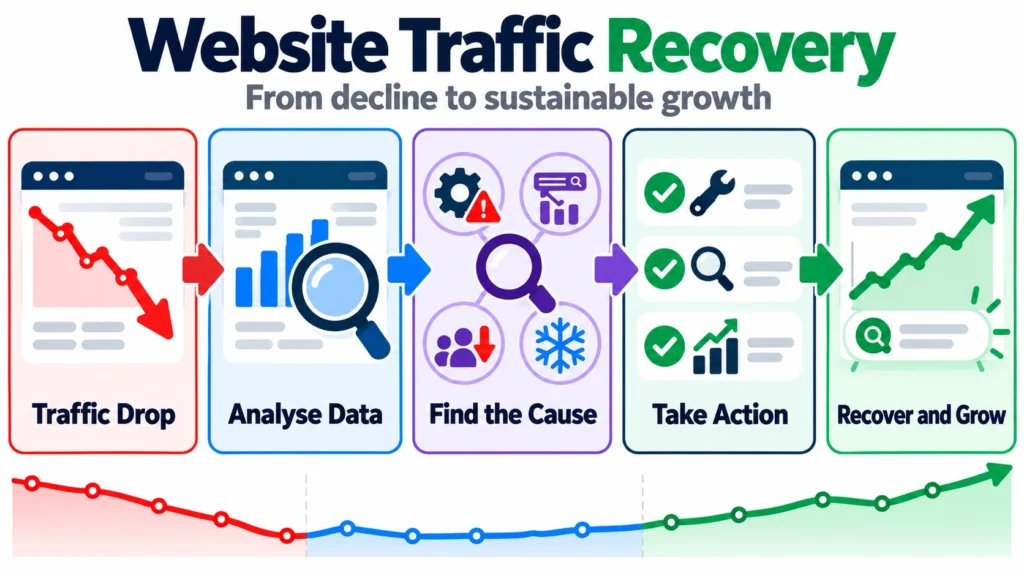
When website traffic drops, marketing directors should check the facts before changing their plan. Use GA4 and Google Search Console to find what fell, when it began, and which pages or channels were hit.
- Check tracking.
- Measure the drop.
- Find affected pages and channels.
- Check technical faults, search updates and shifts in demand.
- Review leads and sales.
- Fix proven issues first.
- Track results after each change.
Google advises reviewing search data and affected pages before taking action on the site.
Step 1: Confirm the Website Traffic Drop Is Real
How do you know if your website has really lost traffic? Start by checking the data.
Google Analytics 4 (GA4) shows visits to your site and where they come from. Google Search Console shows how your pages perform in Google Search. It tracks clicks, impressions, click-through rate and average position.
Compare the same dates with a past period. Check tracking tags, cookie consent settings and recent site changes. These may affect your data.
If GA4 sessions fall but Search Console clicks stay steady, check your tracking before blaming SEO. The tools count different things, so their totals will not match exactly.
Step 2: Measure the Scale and Pattern of the Decline
A bad week does not always mean a bigger problem. Good website traffic analysis looks at changes over time.
- Compare traffic with the weeks before the drop.
- Check the same period last year.
- Note when the fall began and how much traffic was lost.
- Look for similar changes in past years.
Use Google Search Console to review up to 16 months of search data. This can help you spot seasonal dips and changes in search demand.
Look at the full picture before acting. Short-term website traffic fluctuations may pass, while a steady fall needs closer checks. There is no fixed drop level for every site. Set alerts based on normal traffic and the value of your leads and sales.
Step 3: Isolate the Channels, Pages and Queries Affected
A website traffic analysis should show where visits have fallen. Check each channel in GA4: organic search, paid search, email, referrals, social media and direct traffic.
If there is an organic traffic drop, use Google Search Console to find the pages and search terms that lost clicks. Check clicks, impressions and average position to see what changed.
Traffic pattern | What to check |
Impressions stay steady, but clicks fall | Has the click rate dropped? |
Impressions and clicks both fall | Has search demand or visibility changed? |
One page loses traffic | Has that page changed or lost rankings? |
Several channels lose traffic | Is there a wider site or tracking issue? |
Check Google’s traffic drop guide before making big changes. Find the cause first, then fix the part that needs attention.
Step 4: Identify the Likely Cause of the Traffic Drop
A sudden loss in traffic could indicate a site issue. Validate indexing problems with Google Search Console. Also review redirects, robots.txt rules and inadvertent noindex pages. Validate any server errors as well. Review recent changes to your site if the drop coincides with an update or migration.
Review Google Updates and Competitors
Review any confirmed Google search updates that correspond with the timing of the traffic drop. Next, compare your affected pages with competitor pages. Don’t assume an update is the cause just because dates line up. Look for definitive evidence first.
Review Search Demand, Seasonality and AI Search
Users could be searching less for what you offer. Review search volume trends over comparable timeframes. Also consider changes in how users are presented results. This includes AI Overviews. While these may impact clicks for certain queries, the existence of AI doesn’t necessarily mean it was the cause of an organic traffic decrease
Step 5: Connect Traffic Changes to Leads and Revenue
Does lower website traffic always mean lower revenue? No. The impact depends on which pages lost visits and how well they turn visitors into leads or sales.
Use GA4 and your sales data to check key marketing performance metrics, such as:
- Conversion rate and enquiries
- Qualified leads and sales
- Revenue and cost per lead
Break the data down by channel and landing page. This helps you see where the loss matters most.
For example, fewer visits to a general advice page may have little effect on sales. A drop in visits to a key service page may cost you valuable leads.
Where traffic still reaches your website, but fewer visitors become leads, conversion rate optimisation can help identify friction in the user journey and test ways to improve enquiries and sales.
Step 6: Prioritise Recovery Actions by Impact and Urgency
Fix the things that will hurt your business the most. Issues can be prioritised by severity, supporting data and time to fix.
An effective plan has 3 phases:
- Clear quick wins: Complete tasks to resolve known errors. Examples include broken redirects, tracking problems, or blocked resources.
- Recovery: Optimise the pages, channels or campaigns impacted by the traffic decline.
- Measure: Review the results before continuing on to other optimisations.
Assign an owner, clear goal and due date to each task. Where possible, try to only optimise 1 major element at a time. You’ll want to measure against a control to be sure of what is working and what isn’t.
An effective organic traffic recovery plan takes the guesswork out of the process. It keeps your team focused and on task. And it allows you to manage your costs and makes it easy to report results to senior management.
Step 7: Build a More Resilient Traffic Strategy With SEO, GEO and AEO
Ensure your site remains crawlable. Resolve technical errors and interlink related content. Create helpful content supported by easily verifiable facts and genuine experience. Measure your efforts frequently to determine what’s working.
Ranking in AI answers
Generative engine optimisation (GEO) is the practice of trying to get your content featured in answers returned from generative AI. Answer engine optimisation (AEO) is about getting your content used to answer distinct questions. Include clear headings, direct responses to the query, authoritative sources and genuine examples. Following these guidelines can increase your chances of being considered by AI, but will not guarantee a mention or visit to your site.
Don’t Depend on Organic Search Alone
Find other channels to reach your audience. Email, referrals, paid search and branded campaigns can all complement organic search. Select channels that make sense for your customers and your budget. Measure traffic, leads and conversions from each channel rather than focusing only on search rankings.
Conclusion
A website traffic drop should trigger investigation, not panic to you. Verify the data, identify the root cause and prioritise the fixes. These will create a significant impact on leads and sales. Track the success of every fix with marketing performance metrics. And analyse the results before implementing another solution. We can assist you in creating a website traffic recovery plan that drives measurable growth. If you need help improving search visibility and building a recovery plan, explore Midland Marketing’s SEO services for support with your next steps.
Frequently Asked Questions
Why Has My Website Traffic Fallen Suddenly?
The sudden drop could be caused by tracking issues, website errors or reduced search interest/search visibility. Check GA4 alongside Search Console before taking action.
Why Has My Organic Traffic Decreased but My Rankings Are the Same?
Traffic can decrease even if your average rankings appear consistent. Check impressions, clicks and CTR for your keywords in Search Console. Then, analyse which queries and pages are being affected.
How Long Should You Wait to See an Effect on Traffic Drop?
There’s no definite period to wait. Address any technical issues you know are errors immediately. Otherwise, allow enough time for changes to yield results, and compare like-for-like dates.
Will AI-Generated Search Results Decrease Traffic to My Site?
Possibly. AI snippets may decrease clicks for certain searches. Look at impressions and clicks for your queries in Search Console to see if AI may have impacted yours.
How Do I Become Less Dependent on Organic Search?
Acquire customers from multiple channels like email, referrals, paid campaigns and branded activities. Pick channels suitable for your audience and track leads/sales from each.