

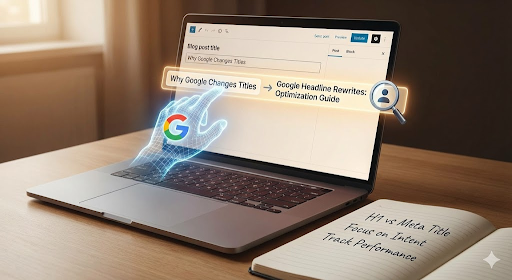
Write a headline you like to use on your blog. You tweak the words, and you match the page. Then you hit publish on your blog. Later, you check Google, and the search result shows. But something is different from it. This happens to everyone, and it can confuse even experienced SEO writers.
Google headline rewrites are now common because Google wants to show a title that fits a user’s intent. It picks the version that answers the search need in the simplest way. Sometimes this helps with your clicks, but at times it hurts. Knowing why Google changes titles and how to work with these changes can improve your work. Reduce Google headline rewrites by aligning title tags as it impacts well. This helps you to increase your reach, your CTR, and your overall visibility.
This blog breaks down why the rewrites happen and what you can do to keep control without fighting Google’s system. You will also learn the role of intent, structure, and metadata in keeping your titles closer.
Table of Contents
Why Google Rewrites Headlines
Google’s title changes are not random. They follow a strict set of patterns tied to behaviour and clarity. And by understanding them, you can utilise them to your benefit. Also, you can reduce Google headline rewrites by aligning title tags.
1. Search Intent Alignment
Most headline rewrites come from intent gaps. If your title does not match the search shape, Google adjusts it to better match your content. The search engine scans the query, the page body, your H1, and your metadata. Then it forms a title that suits the moment.
This happens because users click more when the result feels written for their question. AI systems look at context and pick the words that deliver the clearest view of what your page offers.
2. Length and Display Constraints
Long headlines get cut off, and even medium ones can shrink on mobile screens. When Google sees a title that might break or wrap, it creates a shorter version. Sometimes it removes brand names, too.
Both desktop and mobile SERPs have strict space rules. When your title passes that limit, search result title adjustments kick in to protect the layout.
3. Improving Click-Through Rates (CTR)
Google wants clicks because clicks confirm relevance. If the system predicts a higher CTR with a slight rewrite, it will make the change. This is part of headline CTR optimisation, and it often adds a query term or a clearer phrase. These small changes can push your result higher on the page and catch the user’s eye.
4. Semantic Understanding
Google now uses strong semantic models. It reads the page and studies relationships between words. If your title misses a key point, Google fills that gap. These changes are rooted in context, and they reflect what the AI believes best represents the page.
This is why Google AI headline changes often appear more precise. The goal is more about the accuracy and not about the style.
How Headline Rewrites Affect Your SEO
Google’s Title rewrites don’t always harm your rankings. But they do shape performance on your ranking. So SEO Headline optimisation is vital to understand for better performance. If you don’t feel good with it, you can reduce Google headline rewrites by aligning title tags.
Impact on CTR
The biggest shift shows up in clicks. A rewritten title can lift or drop your CTR. It depends on how close the rewrite matches user intent. The only way to know is to track it. Some pages gain a higher CTR after the adjustment, while others lose clicks due to tone changes or reduced emotional pull.
Effect on Rankings
Rewrites do not break your ranking signals. Google still ranks your page based on content relevance, authority, and search intent. Even when the headline changes, the core SEO weight remains tied to the page itself.
Your ranking power does not vanish because of a title change. But poor CTR can harm future performance. That is why monitoring and understanding the process matters. And reduce Google headline rewrites by aligning title tags well with content.
Brand Messaging Implications
Google sometimes removes brand names or softens the tone of your title. When this happens, your brand’s voice might lose impact and fall flat. This can impact businesses that rely on style, mood, or trust signals.
You can protect your brand by writing clear, aligned titles that Google sees as accurate. The closer your tone is to user intent, the less likely it is to be changed.
How to Optimise Content for Google Headline Rewrites
There are ways to reduce unwanted edits without forcing the system. These steps will work to support your content because they support clarity and intent, which Google rewards.
1. Write Clear, Concise Headlines
Short headlines tend to get fewer rewrites. So, aim for simple words and a direct message. When your meaning is obvious, Google rarely replaces it. Also, users find it easier to scan and click.
Keep the headline free from fluff. This makes sure the topic matches the answers.
2. Include Primary Keywords Naturally
A title missing the main phrase often gets changed, so use your keywords in a natural line. For a topic, it means using Google headline rewrites or a close variant. No stuffing or forcing should be in your content. You also help the page match queries that lead to more stable SERP titles.
3. Structure Your Content Well
Good structure matters to your content. Headings, subheadings, and neat spacing help the algorithm read your page. When optimising content for Google, clarity plays a huge role. The AI checks if the headline matches the body. If the structure is messy, it rewrites to fix the match.
Use H2S and H3S the right way. Keep paragraphs short and reinforce your key topics throughout the page. This helps you to show your intent and be easy to detect.
4. Monitor Search Console Data
Search Console shows when Google changes your titles. This data gives you patterns. You can see what triggers a rewrite and when it happens. Over time, this helps you shape headlines that stay intact.
Watching these changes lets you test new angles and find what gives a stronger CTR.
5. Use Metadata Strategically
Your meta title and your H1 do not need to match, but they should convey the same idea. Many rewrites happen because the meta title and H1 fight each other. Google picks what it sees as the stronger option.
A solid metadata and title strategy tells Google the page is clear. Your meta description also helps reinforce the theme. When everything aligns, rewrites drop.
Common Mistakes to Avoid
Ignoring User Intent
When a headline does not reflect what searchers want, Google changes it. Always check the intent behind your target keyword; it keeps your title secure.
Overly Optimised Titles
Keyword stuffing sends the wrong signal, and Google dislikes those forced or unnatural lines. These are almost always rewritten.
Lack of Structured Content
Loose pages confuse the algorithm while analysing. If Google cannot link the headline to the content, it creates one that fits better.
Not Tracking Performance
Many sites never track title changes. Without data, you cannot improve CTR or understand search behaviour. This leads to repeated issues.
Final Takeaway
Google headline rewrites are not personal and not always bad. They exist to help users find what they want faster. When you write with clear and intent-focused titles for your content, then it doesn’t affect you much. You can reduce Google headline rewrites by aligning title tags with H1 content and search intent. And you have to check the structure of the page well. This lets you keep more control over your content. You also gain stronger visibility and better clicks.
Frequently Asked Questions
- Why does Google rewrite my page titles?
Google rewrites our titles when it thinks a different version will match the search better. It reads our page, checks what users want, and then picks the title that seems the clearest.
- Can headline rewrites hurt my SEO?
From my experience, the rewrite itself doesn’t hurt my rankings, but it can change CTR. If clicks drop, our page may look less relevant over time, so I keep an eye on it.
- How do I stop Google from changing my headlines?
I can’t stop the rewrites fully, but I can reduce them. I write shorter titles, match the search intent, and keep my meta title and H1 close in meaning. This helps Google trust my version.
- Why does Google shorten long headlines on mobile?
Google cuts long titles because there isn’t enough room on small screens. I try to keep my titles clear and short so they don’t get clipped or changed.
- What tools can I use to check if Google rewrote my title?
You can use Google Search Console to track title changes. It shows me when Google adjusts them, and I use that data to improve my headline strategy.